Parallel Execution
kanman works on multiple tasks simultaneously. Tell it what to do, it delivers. No prompts needed.
Kanban Boards
Drag-and-drop workflow visualization. Custom lanes for every status.
AI Teams
Onboard complete AI teams with visual process flows. They manage entire workstreams.
Timeline View
Gantt-style planning with drag support. See dependencies at a glance.
Voice Chat
Talk to your AI teammates naturally. Real conversations, not prompts.
Offline Mode
Full functionality without internet. Changes sync when you're back online.
GitHub Integration
Link commits to tasks automatically. Track PR status and CI/CD right on your cards.
Sprints & Cycles
Full sprint management with goals and snapshots. Velocity tracking included.
Slack Integration
Real-time task notifications in your channels. Create tasks from Slack messages.
GitLab Integration
Connect repositories and automate task movement. Full bidirectional sync.
Bitbucket Integration
Sync with Atlassian workflows seamlessly. Branches, commits, and PRs linked.
Git Automations
Auto-move tasks when code ships. Branch creation triggers, merge closes.
Jira Sync
Two-way sync with Jira issues. Keep both systems updated automatically.
Linear Sync
Sync issues between kanman and Linear. Work where you prefer.
Asana Sync
Import Asana tasks and keep them synced. Migrate without losing history.
Monday Sync
Connect with Monday.com boards bidirectionally. Real-time updates both ways.
Azure DevOps Sync
Sync work items with Azure DevOps. Enterprise-grade integration.
Google Drive
Attach files directly from Google Drive. Preview without downloading.
OneDrive
Attach files from OneDrive seamlessly. Microsoft ecosystem integration.
Developer Templates
Sprint planning, bug tracking, and feature workflows. Built by developers.
Marketing Templates
Campaign boards, content calendars, social planners. Ship campaigns faster.
Business Templates
Project management, client onboarding, OKR planning. Professional workflows.
List View
Traditional task list with sorting and filtering. Clean, scannable interface.
Calendar View
Tasks organized by due date. Drag to reschedule in seconds.
Matrix View
Multi-dimensional task organization. Priority vs effort, risk vs value.
WIP Limits
Limit work in progress per column, swimlane, or project. Reduce context switching.
Swimlanes
Horizontal groupings with their own WIP limits. Organize by team or priority.
Burndown Charts
Track sprint progress visually. Historical velocity for capacity planning.
Dependencies
Block tasks until predecessors complete. Clear visual indicators.
Milestones
Mark major deliverables and track progress. Team-wide visibility.
Board Customization
Unsplash backgrounds, custom icons, accent colors. Make it yours.
Subtasks
Break down complex tasks with nested items. Individual notes per subtask.
Priority Levels
Four-level priority system. Critical, high, medium, low.
Tags & Labels
Color-coded categorization. Filter and search by tag instantly.
Recurring Tasks
Auto-create tasks on your schedule. Daily, weekly, monthly, custom.
Task Templates
Pre-built task structures for common workflows. One-click creation.
Time Tracking
Built-in timers and manual time entries. Track effort per task.
Reports & Analytics
Cycle time, completion rates, and trends. Data without the dashboard bloat.
Auto-archive
Automatically clean up completed work. Configurable retention periods.
Rich Notes
Block-based editor for documentation. Code blocks, embeds, and more.
Whiteboards
Excalidraw-powered visual canvas. Diagrams, flowcharts, sketches.
Video Clips
Attach and play video directly on tasks. Visual context for reviews.
File Attachments
Drag-and-drop uploads. Preview images, PDFs, and documents inline.
Multi-Assignees
Assign tasks to multiple team members. Shared responsibility, clear ownership.
Comments & @mentions
Threaded discussions with emoji reactions. Notify teammates directly.
Activity Feed
Full audit trail of all changes. Who did what, and when.
Remote Cursors
See teammates editing in real-time. Live presence across the workspace.
Real-time Sync
Instant updates across all devices. No refresh needed, ever.
Collaborative Editing
Multiplayer notes and whiteboards. Everyone types, everyone sees.
Advanced Search
Full-text search with KQL query language. Find anything in milliseconds.
Command Palette
Navigate anywhere with Cmd+K. Power-user speed.
Keyboard Shortcuts
50+ shortcuts for everything. Mouse optional.
Mobile PWA
Full app experience on mobile. Install from browser, works offline.
Offline Mode
IndexedDB sync queue keeps you working. Changes sync when back online.
Import & Export
Bring in CSV, JSON, or from other tools. Take your data anywhere.
Trash Recovery
40-day soft delete retention. Restore anything accidentally deleted.
Smart Notifications
Configurable alerts and digests. Stay informed without the noise.
GDPR Compliance
German data hosting option. Enterprise-grade privacy controls.
Accessibility
Reduced motion, high contrast, screen reader support. Built for everyone.
REST API
Full programmatic control over your workspace. Build integrations.
Webhooks
Event-driven callbacks for external systems. Test deliveries built-in.
Automations
Rules that trigger on task events. Automate routing and assignments.
SLA Tracking
Response and resolution time monitoring. Breach risk alerts before deadlines.
Risk Alerts
Proactive notifications for at-risk work. Never miss a deadline.
Saved Filters
Build complex filters and save them. One-click view switching.
Projects
Group tasks into projects with progress tracking. Health metrics included.
Team Roles
Owner, Admin, Member permissions. Fine-grained access control.
Shared Links
Public access with customizable permissions. Share with clients.
Public Forms
External task submission forms. Clients submit, you triage.
Custom AI Models
Deploy Claude, GPT-4, or other models as teammates. Custom configurations per workspace.
Pair Programming
Real-time collaborative coding with AI teammates. Cursor tracking and role-based participation.
Meeting to Tasks
AI extracts action items from meeting notes. Decisions become tasks automatically.
Changeset Discussions
In-app threaded discussions on Git commits. Resolution tracking without leaving kanman.
Code Comments
Line-level comments on repository files. Mention teammates, link to tasks, track resolution.
Commit Linking
Auto-detect task references in commit messages. Status keywords trigger workflow changes.
PR Tracking
Link pull requests to tasks with status sync. See PR progress right on the card.
CI/CD Status
Pipeline badges from GitHub Actions, GitLab CI, Jenkins. Multi-stage job and artifact tracking.
Duplicate Detection
AI finds similar tasks to prevent redundant work. Mark and link duplicates explicitly.
Smart Digests
AI-generated activity summaries on schedule. Email, Slack, or in-app delivery.
Developer Insights
Velocity trends, cycle time, code contributions. Productivity analytics without surveillance.
Portfolio Dashboard
Cross-board views with health tracking. OKR management and rollup metrics.
Process Flow Builder
Visual workflow designer for AI teams. Task nodes, decision points, approval routing.
Refinement Sessions
Structured story refinement with voting. Story points, discussion panels, scrum master role.
Focus Mode
Distraction-free task interface with timer. Track focus sessions and productivity stats.
Auto-Assignment
Intelligent task routing based on workload. Skill matching and capacity balancing.
Automation Builder
Visual rule builder for complex workflows. Triggers, conditions, and multi-step actions.
Audit Export
Enterprise compliance exports in CSV, JSON, PDF. SOC2, GDPR, HIPAA templates included.
Cloud Sync State
Multi-user workspace sync in real-time. Presence tracking and concurrent editing.
Usage Quotas
Plan-based resource limits with tracking. Boards, projects, API calls, storage.
Roadmap View
Strategic timeline with epics and milestones. Portfolio-level planning across boards.
Board Templates
Pre-configured board setups for common workflows. Clone and customize in seconds.
AI Task Breakdown
AI suggests subtasks for complex work. One click to expand into actionable items.
Split View
Side-by-side panes for multitasking. View task details while browsing the board.
Quick Preview
Hover to preview task details instantly. No clicks, no context switching.
Version History
Track changes to task descriptions over time. Restore previous versions anytime.
Bookmarks
Save quick access to frequently used tasks. Personal shortcuts across workspaces.
Pinned Tasks
Keep important tasks visible at the top. Never lose track of priorities.
Task Locking
Prevent accidental edits on critical tasks. Unlock when ready to modify.
Watchers
Subscribe to task updates without assignment. Stay informed on work you care about.
Checklists
Quick checkboxes for simple task lists. Track completion without subtask overhead.
Custom Fields
Add your own fields to tasks. Text, numbers, dates, dropdowns - your schema.
Issue Types
Categorize work as bugs, features, stories. Custom types with their own workflows.
Batch Operations
Select multiple tasks for bulk actions. Move, assign, tag, or delete in one click.
Drag Reordering
LexoRank-based ordering for real-time priority. No conflicts, no refresh needed.
Dark Mode
Full dark theme that respects system preferences. Easy on the eyes, day or night.
Multi-Language
Full German and English localization. UI adapts to your browser language.
Timezone Support
Due dates respect your local timezone. Team members see times in their zone.
Email Notifications
Get updates in your inbox when it matters. Configurable per workspace and project.
Desktop Notifications
Native push notifications for real-time alerts. Never miss an @mention or deadline.
Quick Share
Generate QR codes for instant board access. Perfect for meetings and standups.
Parallel Execution
kanman works on multiple tasks simultaneously. Tell it what to do, it delivers. No prompts needed.
Kanban Boards
Drag-and-drop workflow visualization. Custom lanes for every status.
AI Teams
Onboard complete AI teams with visual process flows. They manage entire workstreams.
Timeline View
Gantt-style planning with drag support. See dependencies at a glance.
Voice Chat
Talk to your AI teammates naturally. Real conversations, not prompts.
Offline Mode
Full functionality without internet. Changes sync when you're back online.
GitHub Integration
Link commits to tasks automatically. Track PR status and CI/CD right on your cards.
Sprints & Cycles
Full sprint management with goals and snapshots. Velocity tracking included.
Slack Integration
Real-time task notifications in your channels. Create tasks from Slack messages.
GitLab Integration
Connect repositories and automate task movement. Full bidirectional sync.
Bitbucket Integration
Sync with Atlassian workflows seamlessly. Branches, commits, and PRs linked.
Git Automations
Auto-move tasks when code ships. Branch creation triggers, merge closes.
Jira Sync
Two-way sync with Jira issues. Keep both systems updated automatically.
Linear Sync
Sync issues between kanman and Linear. Work where you prefer.
Asana Sync
Import Asana tasks and keep them synced. Migrate without losing history.
Monday Sync
Connect with Monday.com boards bidirectionally. Real-time updates both ways.
Azure DevOps Sync
Sync work items with Azure DevOps. Enterprise-grade integration.
Google Drive
Attach files directly from Google Drive. Preview without downloading.
OneDrive
Attach files from OneDrive seamlessly. Microsoft ecosystem integration.
Developer Templates
Sprint planning, bug tracking, and feature workflows. Built by developers.
Marketing Templates
Campaign boards, content calendars, social planners. Ship campaigns faster.
Business Templates
Project management, client onboarding, OKR planning. Professional workflows.
List View
Traditional task list with sorting and filtering. Clean, scannable interface.
Calendar View
Tasks organized by due date. Drag to reschedule in seconds.
Matrix View
Multi-dimensional task organization. Priority vs effort, risk vs value.
WIP Limits
Limit work in progress per column, swimlane, or project. Reduce context switching.
Swimlanes
Horizontal groupings with their own WIP limits. Organize by team or priority.
Burndown Charts
Track sprint progress visually. Historical velocity for capacity planning.
Dependencies
Block tasks until predecessors complete. Clear visual indicators.
Milestones
Mark major deliverables and track progress. Team-wide visibility.
Board Customization
Unsplash backgrounds, custom icons, accent colors. Make it yours.
Subtasks
Break down complex tasks with nested items. Individual notes per subtask.
Priority Levels
Four-level priority system. Critical, high, medium, low.
Tags & Labels
Color-coded categorization. Filter and search by tag instantly.
Recurring Tasks
Auto-create tasks on your schedule. Daily, weekly, monthly, custom.
Task Templates
Pre-built task structures for common workflows. One-click creation.
Time Tracking
Built-in timers and manual time entries. Track effort per task.
Reports & Analytics
Cycle time, completion rates, and trends. Data without the dashboard bloat.
Auto-archive
Automatically clean up completed work. Configurable retention periods.
Rich Notes
Block-based editor for documentation. Code blocks, embeds, and more.
Whiteboards
Excalidraw-powered visual canvas. Diagrams, flowcharts, sketches.
Video Clips
Attach and play video directly on tasks. Visual context for reviews.
File Attachments
Drag-and-drop uploads. Preview images, PDFs, and documents inline.
Multi-Assignees
Assign tasks to multiple team members. Shared responsibility, clear ownership.
Comments & @mentions
Threaded discussions with emoji reactions. Notify teammates directly.
Activity Feed
Full audit trail of all changes. Who did what, and when.
Remote Cursors
See teammates editing in real-time. Live presence across the workspace.
Real-time Sync
Instant updates across all devices. No refresh needed, ever.
Collaborative Editing
Multiplayer notes and whiteboards. Everyone types, everyone sees.
Advanced Search
Full-text search with KQL query language. Find anything in milliseconds.
Command Palette
Navigate anywhere with Cmd+K. Power-user speed.
Keyboard Shortcuts
50+ shortcuts for everything. Mouse optional.
Mobile PWA
Full app experience on mobile. Install from browser, works offline.
Offline Mode
IndexedDB sync queue keeps you working. Changes sync when back online.
Import & Export
Bring in CSV, JSON, or from other tools. Take your data anywhere.
Trash Recovery
40-day soft delete retention. Restore anything accidentally deleted.
Smart Notifications
Configurable alerts and digests. Stay informed without the noise.
GDPR Compliance
German data hosting option. Enterprise-grade privacy controls.
Accessibility
Reduced motion, high contrast, screen reader support. Built for everyone.
REST API
Full programmatic control over your workspace. Build integrations.
Webhooks
Event-driven callbacks for external systems. Test deliveries built-in.
Automations
Rules that trigger on task events. Automate routing and assignments.
SLA Tracking
Response and resolution time monitoring. Breach risk alerts before deadlines.
Risk Alerts
Proactive notifications for at-risk work. Never miss a deadline.
Saved Filters
Build complex filters and save them. One-click view switching.
Projects
Group tasks into projects with progress tracking. Health metrics included.
Team Roles
Owner, Admin, Member permissions. Fine-grained access control.
Shared Links
Public access with customizable permissions. Share with clients.
Public Forms
External task submission forms. Clients submit, you triage.
Custom AI Models
Deploy Claude, GPT-4, or other models as teammates. Custom configurations per workspace.
Pair Programming
Real-time collaborative coding with AI teammates. Cursor tracking and role-based participation.
Meeting to Tasks
AI extracts action items from meeting notes. Decisions become tasks automatically.
Changeset Discussions
In-app threaded discussions on Git commits. Resolution tracking without leaving kanman.
Code Comments
Line-level comments on repository files. Mention teammates, link to tasks, track resolution.
Commit Linking
Auto-detect task references in commit messages. Status keywords trigger workflow changes.
PR Tracking
Link pull requests to tasks with status sync. See PR progress right on the card.
CI/CD Status
Pipeline badges from GitHub Actions, GitLab CI, Jenkins. Multi-stage job and artifact tracking.
Duplicate Detection
AI finds similar tasks to prevent redundant work. Mark and link duplicates explicitly.
Smart Digests
AI-generated activity summaries on schedule. Email, Slack, or in-app delivery.
Developer Insights
Velocity trends, cycle time, code contributions. Productivity analytics without surveillance.
Portfolio Dashboard
Cross-board views with health tracking. OKR management and rollup metrics.
Process Flow Builder
Visual workflow designer for AI teams. Task nodes, decision points, approval routing.
Refinement Sessions
Structured story refinement with voting. Story points, discussion panels, scrum master role.
Focus Mode
Distraction-free task interface with timer. Track focus sessions and productivity stats.
Auto-Assignment
Intelligent task routing based on workload. Skill matching and capacity balancing.
Automation Builder
Visual rule builder for complex workflows. Triggers, conditions, and multi-step actions.
Audit Export
Enterprise compliance exports in CSV, JSON, PDF. SOC2, GDPR, HIPAA templates included.
Cloud Sync State
Multi-user workspace sync in real-time. Presence tracking and concurrent editing.
Usage Quotas
Plan-based resource limits with tracking. Boards, projects, API calls, storage.
Roadmap View
Strategic timeline with epics and milestones. Portfolio-level planning across boards.
Board Templates
Pre-configured board setups for common workflows. Clone and customize in seconds.
AI Task Breakdown
AI suggests subtasks for complex work. One click to expand into actionable items.
Split View
Side-by-side panes for multitasking. View task details while browsing the board.
Quick Preview
Hover to preview task details instantly. No clicks, no context switching.
Version History
Track changes to task descriptions over time. Restore previous versions anytime.
Bookmarks
Save quick access to frequently used tasks. Personal shortcuts across workspaces.
Pinned Tasks
Keep important tasks visible at the top. Never lose track of priorities.
Task Locking
Prevent accidental edits on critical tasks. Unlock when ready to modify.
Watchers
Subscribe to task updates without assignment. Stay informed on work you care about.
Checklists
Quick checkboxes for simple task lists. Track completion without subtask overhead.
Custom Fields
Add your own fields to tasks. Text, numbers, dates, dropdowns - your schema.
Issue Types
Categorize work as bugs, features, stories. Custom types with their own workflows.
Batch Operations
Select multiple tasks for bulk actions. Move, assign, tag, or delete in one click.
Drag Reordering
LexoRank-based ordering for real-time priority. No conflicts, no refresh needed.
Dark Mode
Full dark theme that respects system preferences. Easy on the eyes, day or night.
Multi-Language
Full German and English localization. UI adapts to your browser language.
Timezone Support
Due dates respect your local timezone. Team members see times in their zone.
Email Notifications
Get updates in your inbox when it matters. Configurable per workspace and project.
Desktop Notifications
Native push notifications for real-time alerts. Never miss an @mention or deadline.
Quick Share
Generate QR codes for instant board access. Perfect for meetings and standups.

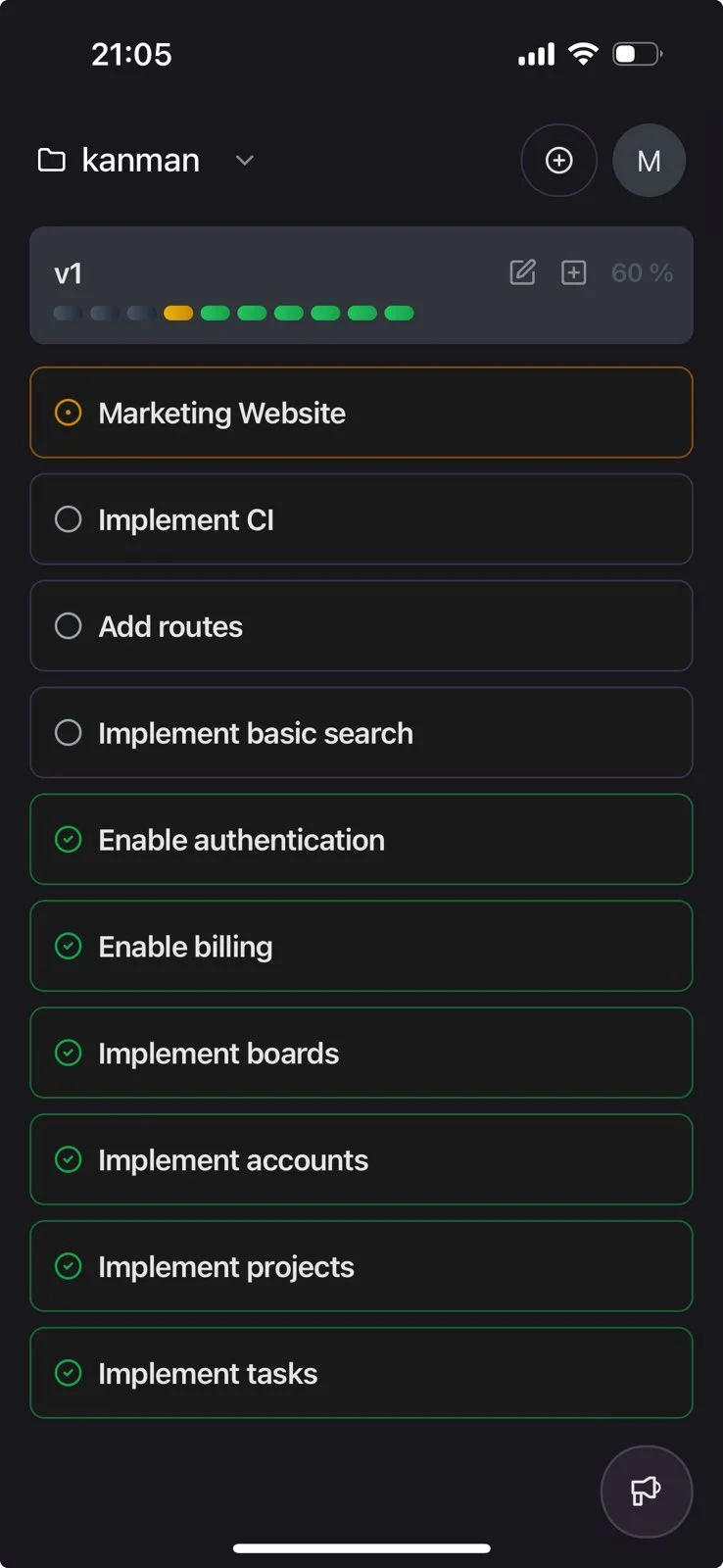
What people are building with kanman
From solo creators to enterprise teams - kanman adapts to how you work.
What builders are saying
I described my entire book project in one conversation. When I came back the next day, kanman had organized everything into chapters, research tasks, and writing milestones. It just gets it.
Nonfiction author
We replaced three tools with one conversation. Our team talks to kanman, it keeps everything organized on boards we can actually see and adjust. Nobody needed training.
Startup founder, 8-person team
The parallel execution is the real game changer. I told kanman I needed customer research done and it delivered a full report while I was in meetings.
Product manager, SaaS company
7-day free trial. No credit card.